

Fiverr Video Editing: How to Choose an Editor and Compare Offers
Fiverr video editing is a way to hire a freelance editor through Fiverr for a defined video deliverable, such as vertical clips cut from a podcast, stream, or YouTube recording. To choose well, compare offers against the same sample footage and written scope, not just the headline price. Check relevant portfolio examples, how footage selection is handled, clip count and length, captions, revisions, and delivery files before ordering.
What Fiverr Video Editing covers, and what it may not
“Video editing” can mean anything from trimming a supplied clip to finding moments in a long recording, adding captions, reframing the image, and exporting several platform-ready files. A Fiverr listing is an offer from an individual seller or team; the actual deliverable depends on that offer’s description and the requirements you agree on. Browse the Fiverr video-editing category as a starting point, then inspect individual offers rather than assuming every editor includes the same work.
The crucial distinction for repurposing is editing supplied selects versus selecting from source footage. Some offers may expect you to identify timestamps and provide the chosen sections. Others may offer to review a longer recording and find candidate moments. Those are different jobs: reviewing an hour-long episode takes time before the edit even begins. Confirm whether footage review and moment selection are included, and how much source material the quote covers.
Before comparing sellers, decide which parts of the process you want to delegate:
- Moment selection: finding self-contained sections with a clear hook or payoff in a podcast episode or stream VOD.
- Clip editing: removing pauses, tightening the opening, and shaping the clip into a coherent short.
- Finishing: captions, vertical reframing, sound adjustments, graphics, and export.
- Publishing preparation: naming files, providing alternate versions, or delivering a caption file. Uploading or scheduling may be a separate service.
For a podcaster who already marks timestamps, a trim-and-caption offer may be enough. A streamer with several hours of VOD and no selects should ask for a quote that explicitly includes review and selection. Do not treat “clips from a video” as a complete scope until the offer says who finds the clips and how many are included.
Why the scope matters more than the listing headline
A low headline quote can describe a narrow task, while a higher quote may include footage review, captions, motion graphics, and several finished exports. Neither is automatically the better value. The useful comparison is the cost for equivalent deliverables from equivalent source footage, with the same assumptions about selection, revisions, and file handoff.
For an illustrative comparison, imagine two offers each producing four vertical clips. One assumes you provide four timestamps; the other includes reviewing a 60-minute recording to find moments. The clip count matches, but the work does not. Ask the second seller whether the quote includes the full 60-minute review, how candidate moments are chosen, and whether you can approve selections before editing begins. These quantities are examples for comparing scope, not typical Fiverr rates or a market benchmark.
Use a small comparison sheet before ordering. Record the answer in writing rather than relying on a listing image or a quick chat summary.
| Scope item | What to compare | Question to ask |
|---|---|---|
| Source footage | Length, number of files, and whether you provide timestamps | Does your offer include reviewing the full recording? |
| Finished clips | Quantity, target duration, aspect ratio, and versions | Are alternate hooks or aspect ratios included? |
| Editing | Dead-air removal, pacing, sound cleanup, graphics | Which changes are part of the base scope? |
| Captions | Burned-in captions, editable captions, language, and styling | Can I review a caption draft, and what files do I receive? |
| Revisions and handoff | Revision limits, turnaround assumptions, and export files | What counts as a revision, and are project files included? |
When you request multiple quotes, send the same brief and a representative sample to each editor. Compare the total quoted scope, not an isolated per-clip figure. If one quote changes after you disclose footage length or request selection, update your comparison rather than treating the original number as like-for-like.
How to evaluate a Fiverr editor before ordering
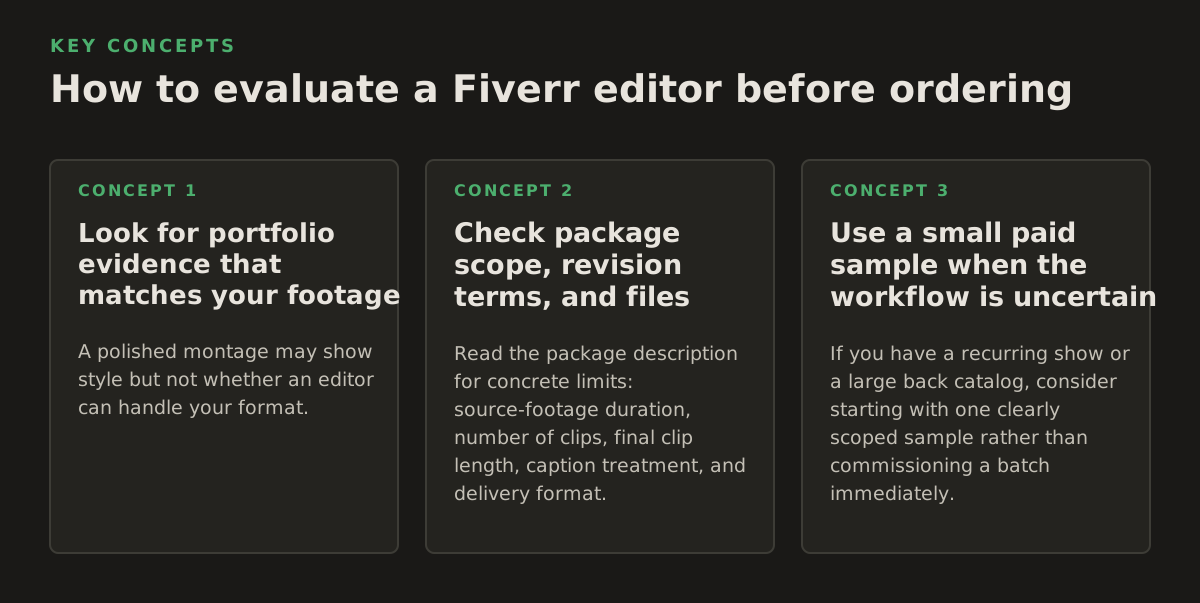
Look for portfolio evidence that matches your footage
A polished montage may show style but not whether an editor can handle your format. A podcast editor needs to preserve conversational context and make the opening legible without changing the speaker’s meaning. A streamer’s VOD may need game footage and face-camera reframing handled together. A business interview may call for restrained graphics and precise wording. Ask for examples closest to your source type and intended audience, not merely the most dramatic work in the portfolio.
Review the example for choices that affect your actual output:
- Does the opening establish what the clip is about, or does it begin mid-thought?
- Do cuts preserve the speaker’s meaning and leave enough context to follow the point?
- Are captions readable against changing backgrounds and placed clear of important on-screen content?
- Does the crop keep the relevant speaker or action visible throughout the clip?
For caption expectations, specify whether you want only spoken words or also meaningful non-speech audio cues. The W3C’s captions guidance explains the role captions play in making audio content available to people who cannot hear it. It is a useful quality reference, but it does not tell you what a particular Fiverr package includes; confirm that with the seller.
Check package scope, revision terms, and files
Read the package description for concrete limits: source-footage duration, number of clips, final clip length, caption treatment, and delivery format. If the listing offers tiers, write down what changes between them. Ask how the seller defines a revision, for example, correcting a caption typo versus replacing the selected moment or changing the visual style. Fiverr’s Terms of Service set out platform terms, but your practical editing expectations still need to be clear in the order details and seller communication.
Ask what arrives at handoff. A finished MP4 may be sufficient for a one-off social post; a team that expects future edits may need a project file or separate caption file. Do not assume editable project files, raw footage return, or alternate exports are included. Get the delivery format and revision boundary confirmed before placing the order.
Use a small paid sample when the workflow is uncertain
If you have a recurring show or a large back catalog, consider starting with one clearly scoped sample rather than commissioning a batch immediately. Use a representative section, not a heavily rehearsed highlight, to check selection judgment, caption accuracy, reframing, and communication. Set the sample scope in advance so both sides know whether it includes source review, how many candidate moments are delivered, and what revisions are available.
A sample is most informative when it resembles real work. For example, a podcast with two speakers and occasional interruptions tests different editing decisions from a single-person tutorial. If confidentiality rules prevent sharing representative footage, ask whether the editor can work from a redacted or approved excerpt, or keep selection and editing in-house.
Write a brief that makes quotes comparable
A good brief reduces guesswork and helps a seller identify work that falls outside a package. It does not need to prescribe every cut. It should state the inputs, output, and approval process clearly enough that two editors can quote the same job.
- Describe the source: file count, approximate total runtime, number of speakers, and whether timestamps are supplied.
- Define the output: clip count, approximate target length, orientation, intended platform, and whether you need alternate versions.
- State the editing style: pacing, caption appearance, graphics, music expectations, and examples of what to avoid.
- Explain selection and approval: who chooses moments, whether you approve proposed selects, and how feedback will be delivered.
- List handoff requirements: finished file type, caption or project files if needed, file naming, and any delivery constraints.
For instance, an illustrative brief might request four clips from one 60-minute interview, with the editor proposing moments for approval before cutting, burned-in English captions, vertical exports, and one consolidated feedback round. The numbers are only an example; choose quantities that fit your actual workload. For platform-specific framing, check current platform guidance rather than assuming one export suits every destination. YouTube’s help page on creating YouTube Shorts and its guidance on video resolution and aspect ratios are useful references for YouTube publishing decisions.
Budget comparisons should follow that same brief. If one seller quotes selection from the full recording and another quotes edits from supplied timestamps, ask for an equivalent quote or mark the difference explicitly. Source length, clip count, caption language, graphics, turnaround, revision expectations, and extra versions can all change the work being priced. Instead of relying on a generic market-wide range, compare the actual scope and quote you receive.
Where outsourced short-form editing can break
Hiring an editor moves work off your desk, but it does not remove the need for editorial judgment. A clip can be visually sharp and still misrepresent a guest, omit a necessary qualification, or begin too late to make sense. Review the cut for meaning as well as polish, especially when the footage includes advice, claims about a product, or sensitive topics.
- Weak selection: a moment sounds exciting in isolation but depends on context elsewhere in the recording. Request a proposed-select approval step if context is a concern.
- Caption errors: names, technical terms, and overlapping speech may need human correction. Provide a spelling list and review captions against the source audio.
- Bad reframing: a vertical crop can cut off a second speaker, demonstration, or game action. Tell the editor what must remain visible and review the full clip, not just a still frame.
- Unclear revisions: changing a selected moment or creative direction may be treated differently from correcting an execution error. Define both before the first delivery.
- Privacy mismatch: sharing sensitive footage with an outside freelancer may conflict with internal handling rules, client commitments, or legal obligations.
For medical, legal, internal-business, or embargoed footage, check your organization’s rules before uploading files to a marketplace or sharing a download link. Confirm who may access the material, how it will be transferred, and what must happen to copies afterward. Do not infer a security or compliance guarantee from a seller’s profile or from using a marketplace; if the footage cannot leave your approved environment, keep processing inside that environment.
Volume also changes the decision. If every episode needs moment selection, captions, review, and repeated revisions, the coordination overhead can become its own workflow. A useful boundary is to outsource the judgment-intensive or specialized task you cannot handle consistently, while keeping a repeatable step in-house when it is easier to standardize and control.
Choose the workflow that fits your publishing operation
For occasional, highly customized clips, a Fiverr editor can be a sensible fit when the brief is precise and a human editor’s judgment is central. For a recurring podcast or stream, decide whether you need a freelancer to make final creative decisions, or whether your team can identify candidate moments and reserve external editing for finishing. Social managers handling many recordings should compare not just per-order quotes but also the time spent preparing footage, explaining the style, reviewing cuts, and managing handoff.
A practical split for a high-volume team is to identify candidate moments and approve the editorial angle internally, then outsource a defined batch of edits. For a creator without time to review long recordings, request selection as a separately stated part of the quote. If selection is the bottleneck and footage must stay on a local Windows machine, a local workflow may suit that stage better; see local AI video editing for how that approach differs from sending footage to an outside editor.
Recommendation: hire on Fiverr when you can define the creative brief, share the source appropriately, and compare sellers on equivalent deliverables. If repeated footage review and clip assembly are the bottleneck, ClipForge analyzes long-form footage locally and supports clip selection, captions, reframing, batch processing, and optional YouTube publishing; learn more at ClipForge.
Authored with NotFair SEO