

Video Shorts: A Practical Guide to Choosing, Editing, and Publishing Clips
Video shorts are brief, self-contained clips made for short-form video feeds; they often use a vertical frame, but the platform and audience determine the final format. For a podcast, stream, or expert recording, the practical job is to find one complete moment, edit it so it makes sense without the full video, add readable captions, and publish a version suited to its destination.
What Video Shorts are, and what makes one work
A short clip is not simply a long video cut off after a few seconds. It should carry a complete idea: a question and answer, a useful instruction, a surprising reveal, or a compact story with a clear ending. The viewer may never see the original episode, so the clip needs enough context to stand on its own.
“Short” also does not mean one fixed duration or aspect ratio across every service. YouTube’s official guide to creating YouTube Shorts describes the platform’s creation workflow. Check the current requirements for the destination when preparing an upload rather than assuming that a file accepted as a Short everywhere will be treated the same way on every platform.
In practice, teams use the term for two related things:
- A platform-native short is published into a service’s short-form video experience, following that service’s current format and publishing rules.
- A short-form clip is an edited excerpt made for quick viewing, which may also be shared in a feed, embedded in a page, or used to promote a longer video.
The distinction matters when planning deliverables. A producer may have one strong moment but need separate versions: a vertical edit for a short-form feed, a landscape excerpt for a newsletter, and a clean source cut for later reuse. Treat the moment as the core asset and the exports as destination-specific versions.
Why long-form teams repurpose footage into shorts
A long recording contains more than one kind of value. A podcast might include an actionable answer, a guest’s memorable story, and a sharp disagreement. A stream might contain a tutorial, a reaction, and a spontaneous joke. Short-form editing makes those moments easier to distribute individually, while giving a viewer a reason to seek out the full episode or channel.
Repurposing is most useful when it extends the life of material that has already been produced. It is not a substitute for planning the source recording: a guest who speaks over the host, a demonstration shown only on a desktop screen, or a key point that depends on ten minutes of setup may not yield a clear clip.
Think about the job each clip should do before choosing one. Examples below are illustrative planning choices, not universal performance benchmarks:
- Podcast: From a 45-minute interview, select one 35-second answer that explains a specific decision. Keep the question or add a short on-screen prompt so the answer has context.
- Gaming stream: From a 90-minute VOD, cut a 25-second play with the setup, the moment of action, and the reaction. If the payoff is hard to understand without the game screen, retain enough gameplay to show it.
- Product tutorial: From a 12-minute walkthrough, isolate one 50-second task. Show the relevant screen area and preserve the spoken steps; a tight crop that hides the interface defeats the purpose.
- Medical or legal education: From a recorded briefing, select one carefully bounded explanation, then have the responsible reviewer check context, wording, and permissions before publication.
A useful editorial test is: Can a viewer tell what this clip is about, understand the point, and reach a natural ending without the source video? If not, select a different moment or edit in the missing context. A caption that summarizes an unclear clip does not repair its underlying story.
How to turn a recording into a publishable short
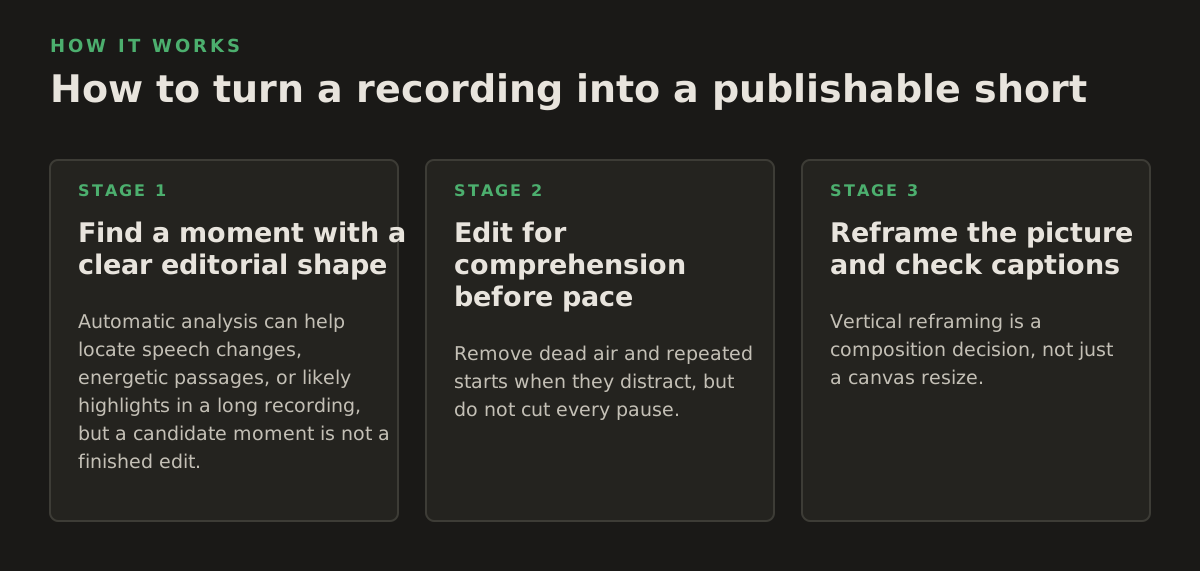
1. Find a moment with a clear editorial shape
Automatic analysis can help locate speech changes, energetic passages, or likely highlights in a long recording, but a candidate moment is not a finished edit. Review the surrounding conversation before cutting. The sentence immediately before the apparent highlight may contain the question, and the sentence after it may qualify or correct the claim.
Mark the minimum context needed to understand the moment, then check its beginning and ending. A useful cut often has a hook, a development, and a payoff; that shape can come from a story or explanation, not just a dramatic reaction. Avoid selecting a clip only because the speaker is loud or the scene has rapid movement.
2. Edit for comprehension before pace
Remove dead air and repeated starts when they distract, but do not cut every pause. A breath can help a viewer follow a complex answer, and an abrupt cut can change the apparent meaning of a speaker’s statement. For interviews, preserve the question when removing it would make the response misleading. For tutorials, leave enough time to see the action that the narration describes.
Build the first seconds around a concrete reason to keep watching: name the problem, show the result, or begin on the key question. Avoid an opening label that promises more than the clip delivers. For a sensitive subject, clarity and context matter more than a sensational hook.
3. Reframe the picture and check captions
Vertical reframing is a composition decision, not just a canvas resize. Keep the active speaker or important action visible, then review the crop during movement and speaker changes. In a two-person interview, a single fixed crop may cut off the listener whose reaction makes the exchange understandable. Screen recordings and presentations may need a wider composition or a separate layout because shrinking a full desktop into a narrow frame can make labels unreadable.
Automatic captions save typing, not review. Correct names, specialist terms, numbers, and punctuation against the audio. Check that captions stay in view, do not cover a face or key interface control, and remain readable on a phone. The W3C’s guidance explains that captions convey speech and relevant non-speech audio, while its captions for prerecorded media explanation sets out the accessibility purpose of captions. Those principles are useful even when a social platform also generates its own captions.
For teams turning many recordings into clips, an editor with local processing can analyze footage on the workstation instead of requiring video uploads to a cloud service. That can suit workflows with sensitive client material, but local processing alone does not settle access permissions, retention, consent, or legal review. See how local AI video editing fits into a desktop workflow.
Where short-form workflows break down
Most weak clips are not caused by a shortage of effects. They fail because the chosen excerpt lacks context, the crop hides the important action, captions misstate a key detail, or the publishing team cannot tell which version is final. Catching these problems in review is cheaper than discovering them after a client or subject flags the post.
- Context loss: A quote sounds more certain or more controversial after the question, caveat, or correction is removed. Review the source around the cut and preserve qualifications that affect meaning.
- Bad automatic selections: A detector may flag excitement without recognizing an inside joke, a spoiler, or a sensitive disclosure. Use automated suggestions to speed up review, not to approve clips automatically.
- Unusable framing: A crop may follow the wrong speaker, obscure a demonstration, or make text too small. Watch the exported file at phone size rather than judging only the editing preview.
- Caption errors: A misspelled medication, product, legal term, or person’s name can materially mislead viewers. Assign a human reviewer for details that change the meaning.
- Rights and consent gaps: Background music, guest permissions, customer information, and third-party footage still need review. Editing a passage into a new format does not itself grant permission to publish it.
For agencies, legal teams, and medical organizations, decide the review path before processing begins. Identify who may access the source, who approves excerpts, where exports may be stored, and what information must be removed. A desktop-first tool can reduce the need to transfer raw footage, but the organization remains responsible for its handling decisions.
Establish a rejection rule as well as a selection rule. For example, a team might adopt an illustrative starting policy that any clip involving a client name, medical detail, or unresolved factual claim requires a designated reviewer before export. Set the rule to match the material and the organization’s obligations; do not treat an example policy as a compliance guarantee.
Publishing and measuring clips without losing the source story
Export decisions should follow the intended destination. Check the platform’s current upload flow, framing, duration rules, caption options, and available publishing controls before building a batch. YouTube’s help page on three-minute YouTube Shorts is one example of why creators should verify current platform-specific rules instead of relying on an old export preset.
Keep a simple record for each approved clip: source recording, time range, editor, caption status, review status, destination, and final filename. This helps a social manager distinguish the approved export from a draft with outdated captions. It also lets a producer return to the original recording when a post needs correction or a different cut.
Judge results against the clip’s purpose, not one number in isolation. A clip designed to explain a process may be useful even if it draws fewer views than a reaction clip. Depending on the platform’s available analytics, teams can inspect signals such as:
- Reach: Did the intended audience encounter the post?
- Viewing behavior: Where do viewers stop watching, and does the opening explain why they should stay?
- Response: Are comments asking for clarification, sharing relevant experiences, or pointing out missing context?
- Next action: Does the clip lead viewers toward the longer episode, a product page, or another intended destination?
Use those observations to form a specific next-edit hypothesis. If viewers leave before the answer begins, test a cut that introduces the question sooner. If comments show that a technical term is confusing, define it in speech or captions. Change one meaningful editorial choice at a time where practical, so the team can understand what may have affected the response.
Choose a workflow that fits your footage and review needs
For an occasional clip, a manual editor may be enough: search the recording, select the passage, reframe it, correct captions, and export. For a regular podcast or a large stream archive, automated moment suggestions and batch processing can reduce repetitive searching and setup. Neither approach removes editorial review; the more sensitive or context-dependent the source, the more important that review becomes.
Before adopting a process, run a small, representative batch that includes different speakers, movement, screen content, and at least one clip that needs context. Check whether the workflow preserves source references, makes caption correction practical, and produces exports your publishing team can identify. If you are comparing desktop clip-making approaches, this OpusClip alternative page is one internal reference; choose tools based on footage handling, review steps, and export needs rather than an automatic highlight score alone.
For teams that want to identify moments and prepare vertical clips on a Windows desktop, ClipForge analyzes long-form footage locally and supports captions, reframing, and batch processing, with optional YouTube publishing. Learn more about the workflow at ClipForge.
Authored with NotFair SEO